


Meta Business Portfolio, WhatsApp Business API Account (WABA), and WhatsApp Business Profile

The image above illustrates the relationship between Meta Business Portfolio (previously known as Facebook Business Manager), WhatsApp Business API Accounts, and WhatsApp Business Profiles (you may refer to this as a WhatsApp Business Number for easier understanding).
Meta Business Portfolio is a central space to manage your business that is separate from your personal Facebook profile. For each Meta Business Portfolio, you may create up to 3 Facebook Business Portfolios that you may connect various business assets to. Business assets include a Facebook Page, Instagram account, Ads account, WhatsApp Business API account, etc.
WhatsApp Business API Accounts, or WABAs, are containers for WhatsApp Business Profiles in Facebook Business Portfolios.
Here are some specifications of WhatsApp Business API Account (WABA) and Meta Business Portfolio:
- A WABA can have a maximum of 250 message templates
- A WABA is initially limited to 2 registered WhatsApp Business profiles, but this limit can be increased to up to 20. See registered number limits for more details.
- After completing Facebook Business Verification, Facebook Business Portfolios are initially limited to 20 WABAs. You can request an increase to this limit by contacting Direct Support and opening a ticket via "Account & WABA" > "Request type" > "Increase WABA limit for a business".
- A WABA must belong to only one Business Manager. You cannot have two or more Business Managers owning one WABA.
- A WABA's time zone and currency cannot be edited once a line of credit has been attached to it. You cannot migrate a WABA from one business to another.
You can manage all of your WhatsApp Business API Accounts in SleekFlow's channel settings. Check out this article for more.
Display name
The WhatsApp Business display name is the name that customers see on your WhatsApp Business profile. You will decide a display name for your WhatsApp Business API account during the WhatsApp Business API application procedure.
A display name should be related to your business, must not violate WhatsApp Commerce and Business policies, and must comply with the display name guidelines to send messages using the WhatsApp Business API.
WhatsApp Business display name review
WhatsApp Business display name reviews and account checks aren’t required when you have just started using WhatsApp Business API, meaning you can immediately start sending messages to customers.
If you are looking to qualify for a WhatsApp Official Business Account (green tick), or to display your display name instead of your business number on your WhatsApp account, you may initiate a WhatsApp Business display name review by completing the Facebook Business verification.
Message limit
Messaging limits refer to the maximum number of business-initiated conversations that a Business Portfolio can open in a rolling 24-hour period. All phone numbers under the same Business Portfolio share the same messaging limit. Business Portfolios are initially limited to 2,000 business-initiated conversations in a 24-hour rolling period. This limit applies across all phone numbers in the portfolio.
Increase your limit
Messaging limits can be increased to the following tiers:
- 2,000 business-initiated conversations
- 10,000 business-initiated conversations
- 100,000 business-initiated conversations
- An unlimited number of business-initiated conversations
Limit eligibility is evaluated at the Business Portfolio level. Portfolio-wide messaging quality determines whether the portfolio can scale to a higher messaging tier. Individual phone-number quality ratings no longer affect messaging limit eligibility.
The first messaging tier is 2,000, and higher tiers are achieved through automatic scaling at the portfolio level.
The first tier is now 2,000 conversations, and messaging limits apply to the entire Business Portfolio.
Portfolio-wide messaging quality and activity determine eligibility for scaling to higher tiers.
Legacy thresholds tied to individual phone-number performance (such as opening 1,000 conversations on a single number) no longer apply.
- Facebook Business verification
Submit your business for business verification. If your business is approved, Meta will analyze your messaging quality to determine if your messaging activity warrants an increase to your messaging limit. Based on this analysis, Meta will then either approve or deny a messaging limit increase.
- Identity verification
If you submit your business for verification and are approved, you may be asked by Meta to verify your identity.
If you are asked to verify your identity, go to the WhatsApp Manager > Overview > Limits panel will display the following notification:
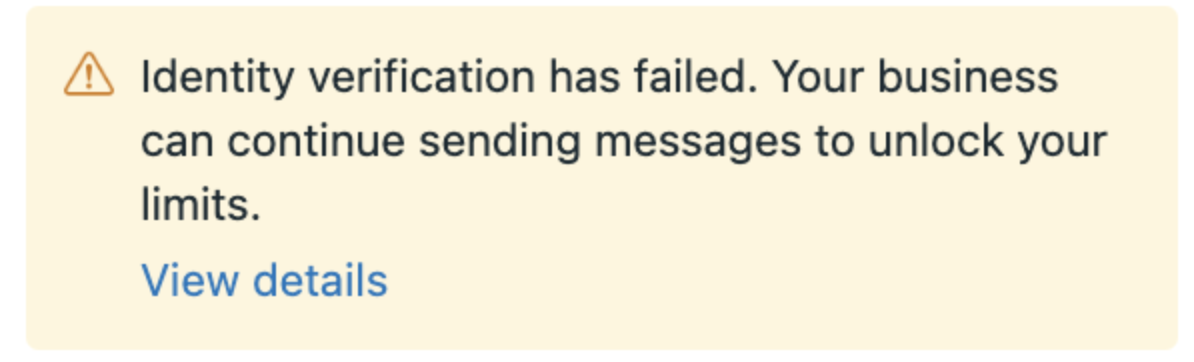
If you complete identity verification and your identity is confirmed, Meta will approve a messaging limit increase. If your identity is not confirmed, Meta will deny a messaging limit increase, and the WhatsApp Manager > Overview > Limits panel will display one the following notifications:
- Open 1,000 Conversations in 30 days
If you open 1,000 or more business-initiated conversations in a 30-day rolling period using templates with a high quality rating rating, Meta will analyze your messaging quality to determine if your messaging activity warrants an increase to your messaging limit. Based on this analysis, Meta will then either approve or deny an increase.
- Send high-quality messages
If you are rejected for business or identity verification, ensure that you are sending high-quality messages. Meta will periodically re-evaluate your messaging activity and quality, and based on this analysis may approve an increase.
Here are some guidelines for sending high-quality messages:


- Make sure messages follow the WhatsApp Business messaging policy
Only send messages to users who have opted into receiving messages from your business - Make the messages highly personalized and useful to users. Avoid sending open-ended welcome or introductory messages.
- Be mindful of messaging frequency; avoid sending customers too many messages a day. Be thoughtful of informational messages, optimizing for content and length.
Request an increase
If you completed business verification or identity verification, or have met the 1,000 conversations in 30 days threshold, but are still limited to 250 business-initiated conversations, you may still open a direct support ticket to request a messaging tier upgrade, but evaluations are now based on the Business Portfolio’s messaging quality and activity. Individual phone-number quality ratings are no longer used in upgrade decisions.
Based on your support ticket submission and messaging quality, Meta will either approve or deny an increase.
Automatic scaling
Automatic scaling begins once your Business Portfolio reaches the 2,000 tier. Meta will periodically evaluate your portfolio’s recent messaging activity and messaging quality to determine if it qualifies to move to the next messaging tier.
Meta evaluates the following at the portfolio level:
- Portfolio-wide messaging quality
- The volume of business-initiated conversations opened within the portfolio
- Compliance with WhatsApp’s policies and messaging standards
If the portfolio meets the required conditions, Meta will scale the messaging limit to the next tier. Scaling decisions take approximately 6 hours.
The previous “Flagged” quality status no longer exists. Quality is assessed entirely at the Business Portfolio level.
New phone numbers added to a Business Portfolio automatically inherit the current portfolio-level messaging limit, regardless of their individual message history or verification status.
You can view your Business Portfolio’s messaging limit in SleekFlow’s channel settings.
Message quality
Your messaging quality is based on how messages have been received by recipients over the past seven days and is weighted by recency. It is determined by a combination of quality signals from conversations between you and customers on WhatsApp. Examples include user feedback signals like blocks, reports, and the reasons users provide when they block a business.
Messaging quality is now assessed at the Business Portfolio level. Portfolio-level quality rating affects messaging limit scaling for all phone numbers in the portfolio.